Wednesday, 7 January 2015

7 WordPress Plugins to Make Your Blog Faster.
Readers are now thrilled with Fast sites.
They surf a lot these days. That’s why they want to have fast sites or they will leave your blog without check it.
Not only readers, but also search engines really care about the site speed.
They announced that the speed is one of the factors that affects the rankings of your blog.
So why don’t you care about it?
Here are top 7 wordpress plugins that can help you skyrocket your speed. So continue reading to check them.
W3 Total Cache is one of the most popular caching plugins for WordPress .
Caching is very good .
However small your blog might be , it’ll be helpful to you .
Your users will like the quick page loading time and will keep coming back to your blog .
This plugin has many advanced features like CDN support , broswer , object and database caching . It is one of the best caching plugins ever . It also has good support .
This new jsDelivr plugin hooks your WordPress site with the jsDelivr service .
jsDelivr is a free CDN where Javascript developers host their files for free . You can use this to off load your Javascript plugins.
It will certainly improve your page loading speed to a considerable extent . Another good news is that this plugin is also compatible with W3 Total Cache .
Now this plugin is little bit different . It will analyze your site’s performance .
It will create a dash board widget that will display your Google page speed , Yahoo! Yslow statistics and a link to the full report .
It will also hook you up to the GTmetrix API which allows you analyze , schedule reports and receive updates about the status of your blog directly on your dashboard .
This plugin has a very good rating in the WordPress plugin repository .
Is you site very , very slow . And you don’t really know the cause behind it . Even after running various analysis , you are not able to find the right reason . Then this plugin is for you .
This plugin scans your WordPress installation and tell you each plugin’s impact on your overall site performance . It creates user friendly charts for you to read so that you can minimize the use of unnecessary poorly coded plugins .
The Cloud Flare plugin makes sure that you are properly linked with the Cloud Fare CDN Optimization service .
It ensures that there is not change in originating Ip’s . It also has a coupla more benefits . It reports spam information and gives you good protection .
This plugin also makes sure that your database is running at its best . Cloudflare is a free CDN that can be integrated with WordPress blogs if you have proper hosting .
The BJ Lazy Load is a very unique plugin . It helps your site load faster by loading images and iFrames only when the user is scrolling towards it .
This works automatically for your post content . The plugin also gives you a feature to do this to your Theme images.
There are similar plugins like jQuery lazy load .
WP Super Cache is a very old caching plugin used by a majority of WordPress users .
It is very easy to set up an takes only a minute or two .
It permits you to pre-cache your posts before the time so that they are ready to be served with lightning speed when the user reads .
Last Words
Did you implement these plugin tweaks on your blog ?
If yes , then let me know about your experience in the comments. I am eager to know how fast is your site.
Read more »

Tuesday, 9 December 2014

Why You Should Care About Your WordPress Theme
If you’re in business and have an online store, a corporate website or blog or just want to monetize your own personal blog, you’re bound to have heard of WordPress. Using WordPress is one of the easiest ways to make a fully functional, usable, easily navigable and eye-catching website that will cater to your niche or business.
But what about WordPress themes? Where do they come into play, and why should we use them? Won’t we have invested enough time and money on website content, images, hosting, and the like? Well, here is why choosing the right WordPress Theme is so important for your business.
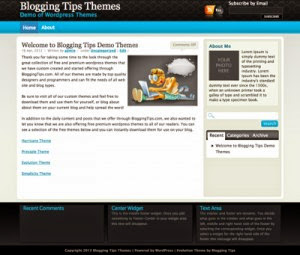 - The correct pick of a WordPress Theme can really bring out your niche. Themes are practically custom made for every niche or business. That’s why you see them named Photography themes, Magazine themes, News Portal themes, etc. For instance, Best WordPress Themesis a great example of a WordPress Template website that filters and sorts themes by category. It’s not a coincidence that every theme can be used for a specific purpose. Of course, it isn’t an exact science – if you fall in love with a theme, just because it’s labeled “photography” doesn’t mean you can’t use it as your personal blog, handicraft sales page or restaurant review website. It’s not a coincidence that there are hundreds of other websites that their sole purpose is to find and add themes to the website, making web masters easily find the best theme for their blog. You can also check Best Themes WP, or 100 WP Themesfor more WordPress Themes
– Using the right theme can optimize usability and guide your visitors’ eyes exactly where they should be. For instance, take the portfolio themes or photography themes we mentioned earlier. These WordPress templates have specific “portfolio” and “gallery” pages, most of the time as the home page, which focus on image-intensive niches, like – you guessed it – photography and design. Everyone in a specific business should make use of these special pages and templates to maximize exposure of their work. Looking at it from the other side, if you choose the wrong theme, you can lose out on a lot of things that need to stand out. You shouldn’t make your readers and potential clients have to look for your stuff. When it comes to choosing new wordpress themes, it’s best to go in with no fear, then see how your content will look with each design.
– The various widget types and functions that come with each WordPress theme by default can really help each niche, and save you precious time from searching for and adding plug-ins that weren’t there before. If you have a newsletter site, you’ll need a subscription form; if you have a restaurant or service by appointment, you need a reservation form; if you’re a blogger, you’ll need a Twitter stream and social media buttons. Advertising space for marketers, pricing tables for e-Commerce, an About Us page or footer for corporate profiles, Flickr galleries for photographers and photoblogs – the list goes on forever! (Thanks to Lars’ 11 tips on finding the best themeon Trip Wire Magazine for this one!)
 - The dilemma of free or premiumshouldn’t come that much into play here. Don’t get me wrong, none of us are rich (yet)! Free themes are awesome if you’re just starting out , but some of them have limited functions and are not unbranded. You should cough up some dough (but not that much!) and invest in a good one. We mention this here, because it’s better to research and invest in a premium WordPress theme which will have more functions, customization options, documentation and support when you’re going professional.
– Other themes can make your blog or website look happy. Others will make it look silly, or not serious enough, when the website should be professional. Sure, everything can take a little silliness or cupcake pink, but if you’re building a corporate profile or design portfolio that you want everyone to take seriously (and your name isn’t Barbie), you should try to stick to professionalism. It doesn’t have to be bland or boring, just useful and not too playful. (Thanks to Karlos from ComLuvfor his article on how to find the best WordPress themes for this idea!)
– When you’ve researched, tried, and paid for the perfect WordPress template for your website or blog, it all shows how much time, love and hard work you’ve invested in the whole thing. When you carefully pick out the best theme for your blog or website, it automatically shows how involved you are and how seriously you’re taking the whole venture. Serious is as serious does, and nothing shows you’re taking the whole thing to heart than a carefully, lovingly crafted online presence!
How has choosing the best WordPress site possible helped your business? Share your stories with us!
This guest post was written by Vicky, who is a professional copywriter and Internet Marketer, who writes for the Internet Marketing Blog Moneytized. Her favorite topics range from how to successfully create and maintain an online business, to maintaining personal relationships. When she’s not writing articles or proofreading her friends’ posts, she indulges in her personal time with her family and two cats.
Read more »
Wednesday, 26 November 2014
Download Commentator WordPress plugin free. Commentator v1.5.8 is an ajaxified commenting system for
Commentator WordPress Plugin Features: Commentator v1.5.8 includes both dark and white skins. You can choose one that suits your website more. A user can comment with Facebook, twitter, Linkedin and Google Plus. This is a great feature. It is also helpful in increasing raking of your website. Commentator WordPress plugin paginate the comments if these exceeds a certain limit. It helps to decrease the page load. Unappropriate comments are flagged by the plugin. The plugin is packed with Ajaxified Comment form that doesn’t need to be refresh if a new comment is added on your website. The comments are added on the go. Commentator v1.5.8 plugin is already translated in French and English and easily translatable with the given .po and .mo files. The plugin can easily integrate with the default wordpress commenting system. So, your previous comments remains safe. Commentator WordPress plugin allows your visitors to upvote and downvote the comment. The plugin also integrates a login and register form. The comments can be sorted on the basis of newest, popular and oldest.
[sws_blue_box box_size=”630″] It is recommended to buy the plugin if you want regular updates, suggestions and security. [/sws_blue_box]
Download Commentator WordPress Plugin
Plugin DEMO
Direct Download Link(No ads)
2nd Download Link
http://j.gs/4TNz
VirusTotal Report – http://cf6.co/4JGN
Broken Links ? Please Comment. I’ll Fix.
TheoTecherhut comRead more »